

Okdo Document Converter Professional 6.0
Convert MS Word, Excel, PowerPoint, RTF, TXT, HTML, PDF, and image files
Program info
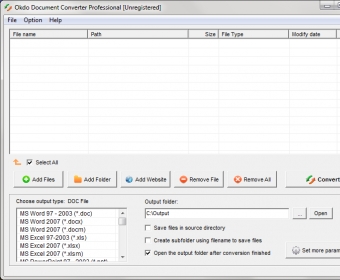
Okdo Document Converter Professional can convert between various types of document and image formats. In this regard, it is great news that the tool supports importing multiple file formats, including all Microsoft Office (DOC, DOCX, XLS, XLSX, etc.), PDF (even encrypted), web pages, RTF and TXT. Also, its ability to convert batches of documents in a single session can definitely save you a lot of time and effort.
The program has a simple-to-use interface that is in line with its basic workflow of importing files, deciding on an output format and converting. Documents can be added not only one by one but also as complete folders. In addition, web pages can also be open if they have been previously saved to disk, but most importantly, they can be downloaded by the tool itself. In fact, this is a very convenient that it can extract all links in a page, just like a web spider. Another relevant feature is that it supports applying optical character recognition to strip text from images. Unfortunately, the OCR results are not always accurate.
As to converting, the tool supports not only the same file formats already mentioned but Flash as well. Moreover, depending on the output file format selected, you can set other parameters. For example, you may decide on whether to preserve the original layout or keep the text flow. There is one inconvenience, though, which is that the program does not allow setting individual conversion profiles. More
Pros
- Supports multiple formats
- Optical character recognition
- Batch processing
- Downloads and converts web sites
- Supports encrypted PDFs
- Preserves the original layout
Cons
- OCR results are not always accurate
- Cannot set individual conversion profiles
- Closes open Office documents




Comments